

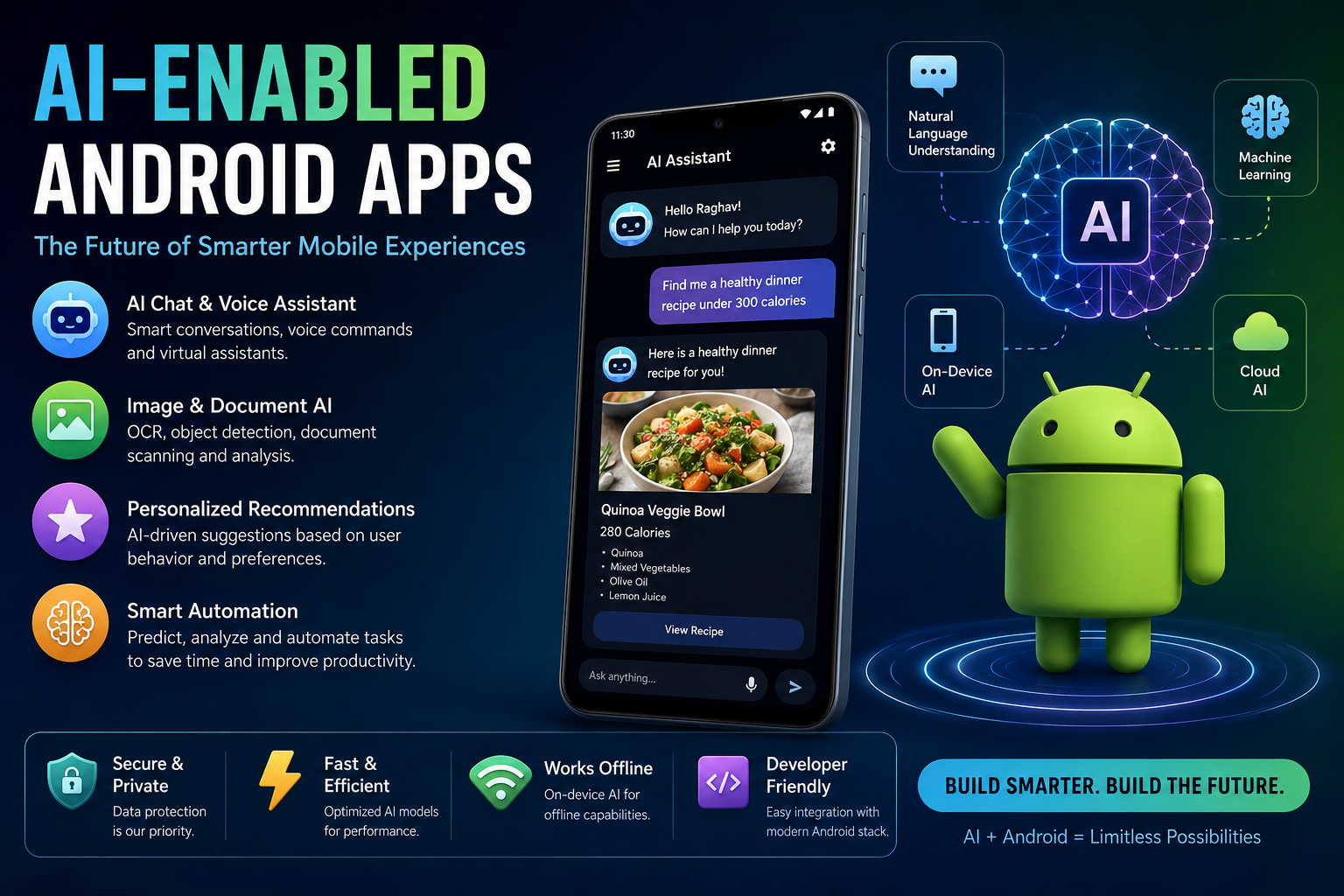
Artificial Intelligence is rapidly changing the way mobile applications are designed and developed. An AI-enabled Android app is an application that uses AI or Machine Learning to understand user input, generate responses, analyze data, make predictions, or automate tasks.
For Android developers, AI integration does not necessarily mean building and training an AI model from scratch. In many real-world applications, developers integrate existing AI models and services into a standard Android architecture using Kotlin, Coroutines, Retrofit, Jetpack Compose, ViewModel, and dependency injection.
What Is an AI-Enabled Android App?
An AI-enabled Android application combines traditional Android development with AI capabilities.
A traditional application might work like this:
User
  ↓
Android UI
  ↓
Business Logic
  ↓
API / Database
  ↓
Response
An AI-enabled application can introduce an AI layer:
User
  ↓
Android UI
  ↓
ViewModel
  ↓
AI Repository
  ↓
AI Model / AI API
  ↓
AI Response
  ↓
Android UI
The AI component can understand natural language, analyze images, summarize documents, generate content, recommend products, or execute actions.
Why Add AI to an Android Application?
AI can make applications more intelligent and easier to use.
For example, consider a food delivery application.
Without AI, a user might search:
Pizza
The application searches for products matching the keyword.
With AI, the user could write:
I want something spicy under ₹300 for two people.
The AI can understand the user’s intent and extract:
Food preference: Spicy
Budget: ₹300
Quantity: 2 people
The application can then use these parameters to find suitable products.
This is one of the major differences between traditional search and AI-powered interaction.
Common AI Features in Android Apps
AI can be used in many areas of Android development.
1. AI Chat Assistant
You can add an intelligent chatbot directly inside your Android application.
Examples:
- Customer support
- Shopping assistant
- Banking assistant
- Education assistant
- Travel assistant
Architecture:
User Message
     ↓
Compose UI
     ↓
ViewModel
     ↓
AI Repository
     ↓
AI API
     ↓
LLM
     ↓
Response
     ↓
StateFlow
     ↓
Compose UI
2. Voice-Based AI
AI can understand natural language voice commands.
For example:
“Show me my orders from last week.”
The application can convert the speech into text, understand the intent, and execute the appropriate operation.
A more advanced system could support:
User Voice
    ↓
Speech Recognition
    ↓
AI / Intent Detection
    ↓
Tool or Function
    ↓
Application Action
For example:
"Open my profile"

        ↓

AI understands intent

        ↓

openProfile()

        ↓

Profile Screen
This approach is much more powerful than implementing hundreds of hard-coded voice commands.
3. AI Image Processing
AI can also process images captured from the Android camera.
Examples include:
- OCR
- Face detection
- Object detection
- Document scanning
- Image classification
- Barcode recognition
- Medical image analysis
- Receipt analysis
For example:
Camera
   ↓
Image
   ↓
AI Model
   ↓
Detected Information
   ↓
Android UI
A receipt-processing application could identify:
Restaurant: ABC Restaurant

Total: ₹850

Date: 09-Aug-2026

Items:
Pizza       ₹400
Burger      ₹250
Drinks      ₹200
4. AI Document Processing
AI can extract meaningful information from documents.
For example, a user uploads an invoice.
The AI can identify:
Invoice Number
Customer Name
Invoice Date
GST
Total Amount
Product Details
This can be particularly useful for:
- Accounting applications
- Business applications
- Expense management
- Document management
- Enterprise applications
5. AI-Powered Recommendations
Recommendation systems use user behavior and other data to suggest relevant content.
Examples:
YouTube → Videos
Amazon  → Products
Netflix → Movies
Spotify → Music
An Android application can consume recommendation results from a backend AI/ML system and display personalized content.
6. AI Summarization
AI can summarize large amounts of text.
For example:
10-page document
       ↓
      AI
       ↓
5 important points
This can be useful in:
- News applications
- Education apps
- Email applications
- Document readers
- Meeting applications
Cloud AI vs On-Device AI
There are two important approaches to integrating AI into Android applications.
Cloud AI
In cloud-based AI, the Android application communicates with a remote AI service.
Android
   ↓
Internet
   ↓
AI API
   ↓
AI Model
   ↓
Response
   ↓
Android
Advantages
- Powerful models
- Large context windows
- Easy model updates
- No large model stored on the device
Disadvantages
- Requires network connectivity
- API costs
- Network latency
- Privacy considerations
On-Device AI
In on-device AI, the model runs directly on the Android device.
Android App
     ↓
Local AI Model
     ↓
Result
Advantages
- Can work offline
- Lower network dependency
- Better control over sensitive data
- Potentially lower server costs
Disadvantages
- Device CPU/GPU/NPU limitations
- Model size
- Battery consumption
- Memory requirements
On-device AI is especially interesting for applications where latency, offline capability, or privacy is important.
Hybrid AI Architecture
Many production applications use a hybrid architecture.
                Android App
                    |
          +---------+---------+
          |                   |
     On-Device AI         Cloud AI
          |                   |
     Fast/Simple          Complex Tasks
     Processing           Large Models
For example:
Image preprocessing
        ↓
On-device

Complex image analysis
        ↓
Cloud AI
This approach can provide a good balance between performance, privacy, and AI capabilities.
AI Integration with MVVM
AI can be integrated cleanly into an existing Android MVVM architecture.
For example:
Compose UI
    ↓
ViewModel
    ↓
Repository
    ↓
AI Data Source
    ↓
AI API
A simplified repository could look like:
interface AiRepository {

    suspend fun ask(
        prompt: String
    ): String
}
The ViewModel can expose the result using StateFlow:
class AiViewModel(
    private val repository: AiRepository
) : ViewModel() {

    private val _response = MutableStateFlow("")
    val response = _response.asStateFlow()

    fun ask(prompt: String) {

        viewModelScope.launch {

            _response.value =
                repository.ask(prompt)
        }
    }
}
Compose can observe the state:
@Composable
fun AiScreen(
    viewModel: AiViewModel
) {

    val response by viewModel.response.collectAsState()

    Text(text = response)
}
This keeps AI-related networking and business logic outside the UI layer.
Where Does RAG Fit?
One of the most important concepts in modern AI applications is RAG — Retrieval-Augmented Generation.
A normal LLM may not know your application’s private data.
For example:
Company Documents
Customer Data
Product Catalog
Internal Knowledge
RAG allows the application to retrieve relevant information and provide it to the AI model.
Architecture:
User Question
      ↓
Embedding
      ↓
Vector Database
      ↓
Relevant Documents
      ↓
LLM
      ↓
Answer
For example:
What is the refund policy for product X?
The system retrieves the company’s refund policy and gives the relevant context to the LLM before generating the answer.
This is extremely useful for enterprise Android applications.
What Are Embeddings?
Embeddings convert text or other data into numerical vectors.
Conceptually:
"Android Developer"
        ↓
[0.21, 0.73, -0.12, ...]
Similar meanings produce vectors that are close to each other in vector space.
This allows applications to perform semantic search.
For example:
User:
"How can I cancel my order?"

Stored document:
"Order cancellation policy"
Even though the exact words are different, an embedding-based search can recognize that they are semantically related.
AI Function Calling / Tool Calling
Another important concept is allowing AI to interact with application functionality.
Instead of only generating text, the AI can decide that it needs to call a function.
For example:
User:
"Show my orders."

        ↓

AI

        ↓

getOrders()

        ↓

Order API

        ↓

Order Data

        ↓

AI / Android UI
The AI should not directly execute arbitrary application code. Instead, the application exposes controlled tools/functions.
Example:
fun getOrders(): List<Order>
The AI can request the tool, while the application remains responsible for authorization and execution.
This pattern is important for building AI assistants.
AI + MCP
Modern AI applications are also moving toward MCP — Model Context Protocol.
MCP provides a standardized way for AI systems to interact with external tools and data sources.
Conceptually:
Android App
     ↓
AI Assistant
     ↓
MCP Client
     ↓
MCP Server
     ↓
Tools / Resources
For example, an AI assistant could potentially interact with:
Calendar
Files
Database
Bluetooth devices
APIs
Application actions
The exact architecture depends on the security and trust boundaries of the application.
Security Considerations
AI integration introduces additional security concerns.
Never assume that AI-generated output is automatically safe.
Important considerations include:
API Keys
Do not hard-code private AI API keys inside an Android APK.
Avoid:
const val API_KEY = "my-secret-key"
An APK can be reverse-engineered.
For sensitive credentials, use a secure backend or an appropriate credential-management architecture.
User Data
Be careful when sending:
- Personal information
- Financial data
- Authentication tokens
- Private documents
- Location information
to external AI services.
Tool Execution
AI-generated tool calls must be validated.
Do not allow:
AI → arbitrary command execution
Instead use:
AI
 ↓
Allowed Tool
 ↓
Validation
 ↓
Authorization
 ↓
Execution
Recommended Android AI Architecture
A scalable architecture could look like:
                    Android Application
                           |
                    Compose UI
                           |
                       ViewModel
                           |
                      Use Case
                           |
                     AI Repository
                    /            \
                   /              \
          Local AI                 Cloud AI
             |                       |
        On-device Model          AI API
             |                       |
             +----------+------------+
                        |
                 Result / Stream
                        |
                    StateFlow
                        |
                    Compose UI
This architecture keeps AI implementation replaceable and testable.
Technologies an Android Developer Should Learn
If you want to move from traditional Android development toward AI-enabled Android development, a useful learning path is:
Kotlin
  ↓
Coroutines + Flow
  ↓
MVVM / Clean Architecture
  ↓
REST APIs
  ↓
LLM Fundamentals
  ↓
Prompt Engineering
  ↓
AI API Integration
  ↓
Embeddings
  ↓
Vector Databases
  ↓
RAG
  ↓
Function / Tool Calling
  ↓
On-Device AI
  ↓
MCP
  ↓
AI Agent Architecture
You don’t need to become an ML researcher to build useful AI-powered Android applications.
For an Android developer, understanding how to integrate, secure, orchestrate, and expose AI capabilities through a good application architecture is often more immediately valuable.
Conclusion
AI-enabled Android applications are essentially the combination of traditional Android engineering and intelligent AI capabilities.
The AI can be used for:
- Natural-language interaction
- Voice commands
- Image understanding
- Document processing
- Recommendations
- Summarization
- Semantic search
- RAG
- Tool calling
- Intelligent automation
The key is not simply adding an AI API to an Android project. A production-quality AI application needs a proper architecture, secure data handling, controlled tool execution, good error handling, and a clear separation between the UI, business logic, and AI layer.
For modern Android developers, learning AI integration alongside Kotlin, Jetpack Compose, Coroutines, Flow, MVVM, and Clean Architecture can open the door to building a new generation of intelligent mobile applications.
Leave a Reply